
PingPush Alerts for Pushover
Get instant phone alerts when something happens on your WordPress site: new form entries, WooCommerce orders, logins, errors and updates. Free, no add-ons needed.
Features
Screenshots
Installation
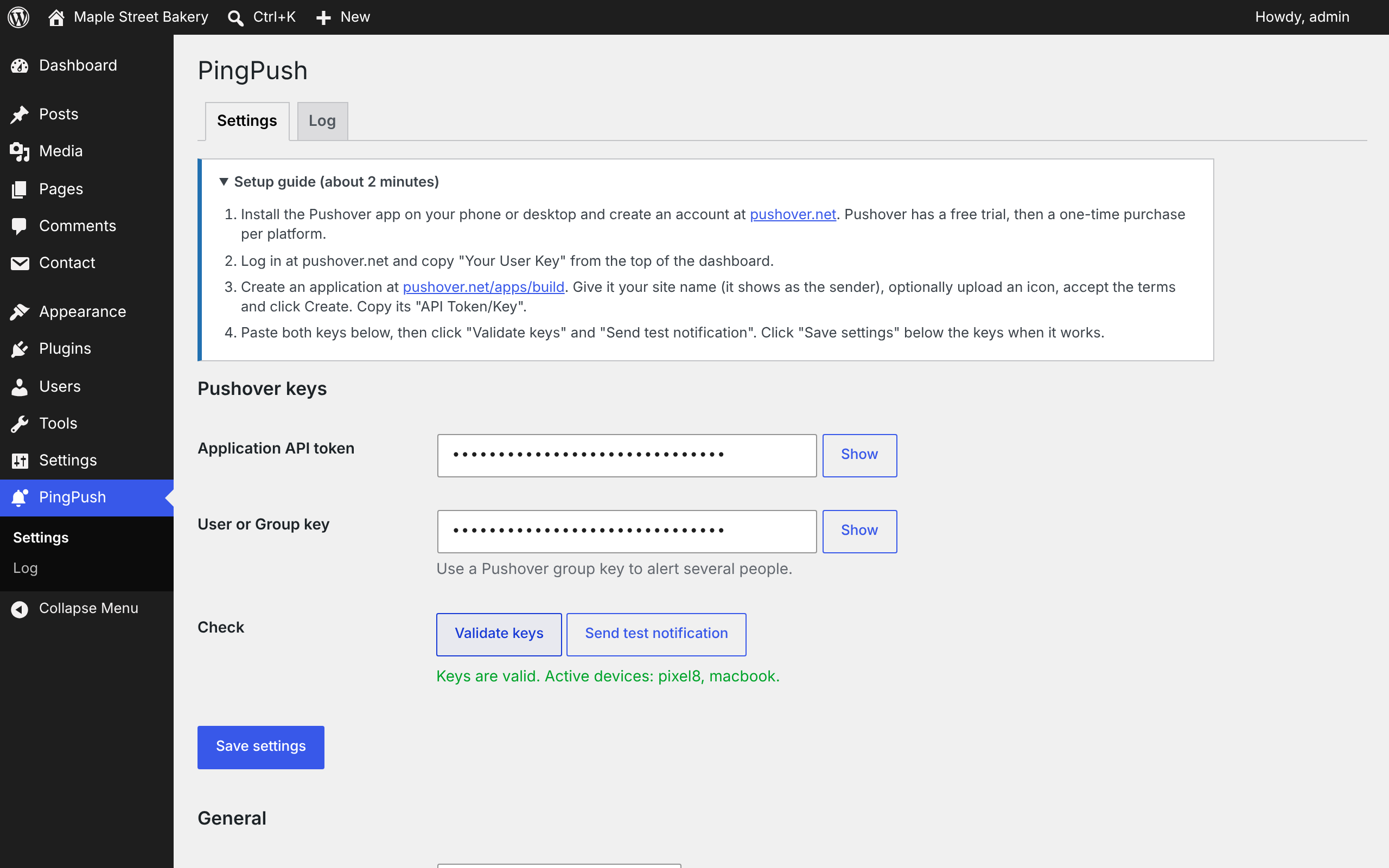
- 1Install and activate PingPush from Plugins > Add New, or upload the .zip under Plugins > Add New > Upload Plugin.
- 2Install the Pushover app and create an account at pushover.net.
- 3Copy your User Key from your Pushover dashboard.
- 4Create an application at pushover.net/apps/build and copy its API Token.
- 5Open PingPush in the WordPress admin menu, paste both keys, click "Validate keys" and "Send test notification", then save.
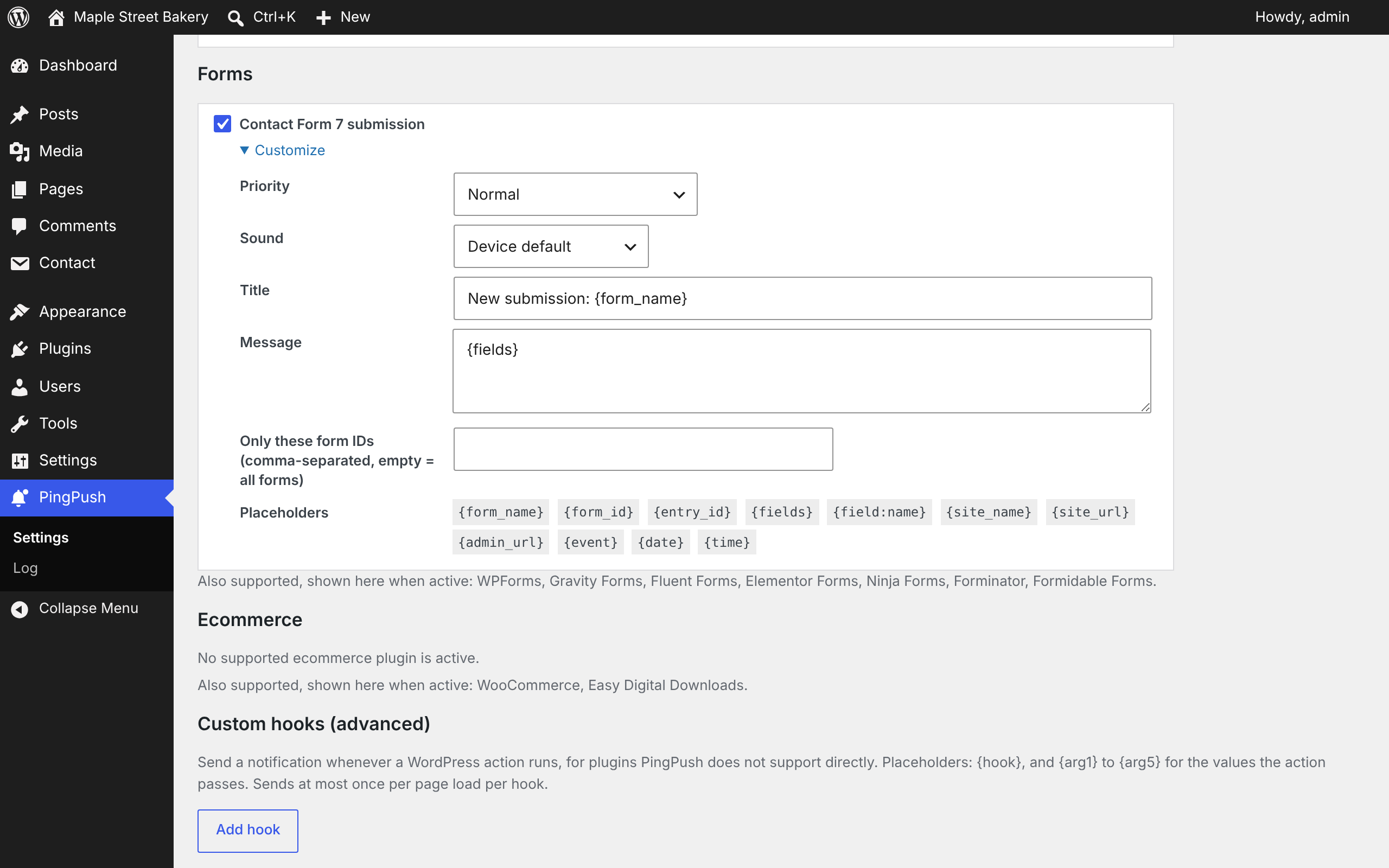
- 6Tick the events you want alerts for.
FAQ
Do I need the Pushover app?
Yes. Pushover is a separate service with apps for iOS, Android and desktop. It offers a free trial, then a one-time purchase per platform, and each account can send 10,000 messages a month.
Is PingPush really free?
Yes. Every feature is included. There is no Pro version and there are no paid add-ons.
How is it different from other notification plugins?
General notification builders make you create each alert by hand, and many charge for Pushover or WooCommerce support. PingPush does only Pushover, and setup takes about two minutes.
Can several people get the alerts?
Yes. Create a delivery group in Pushover and use its group key instead of your user key.
I am not getting notifications. What should I check?
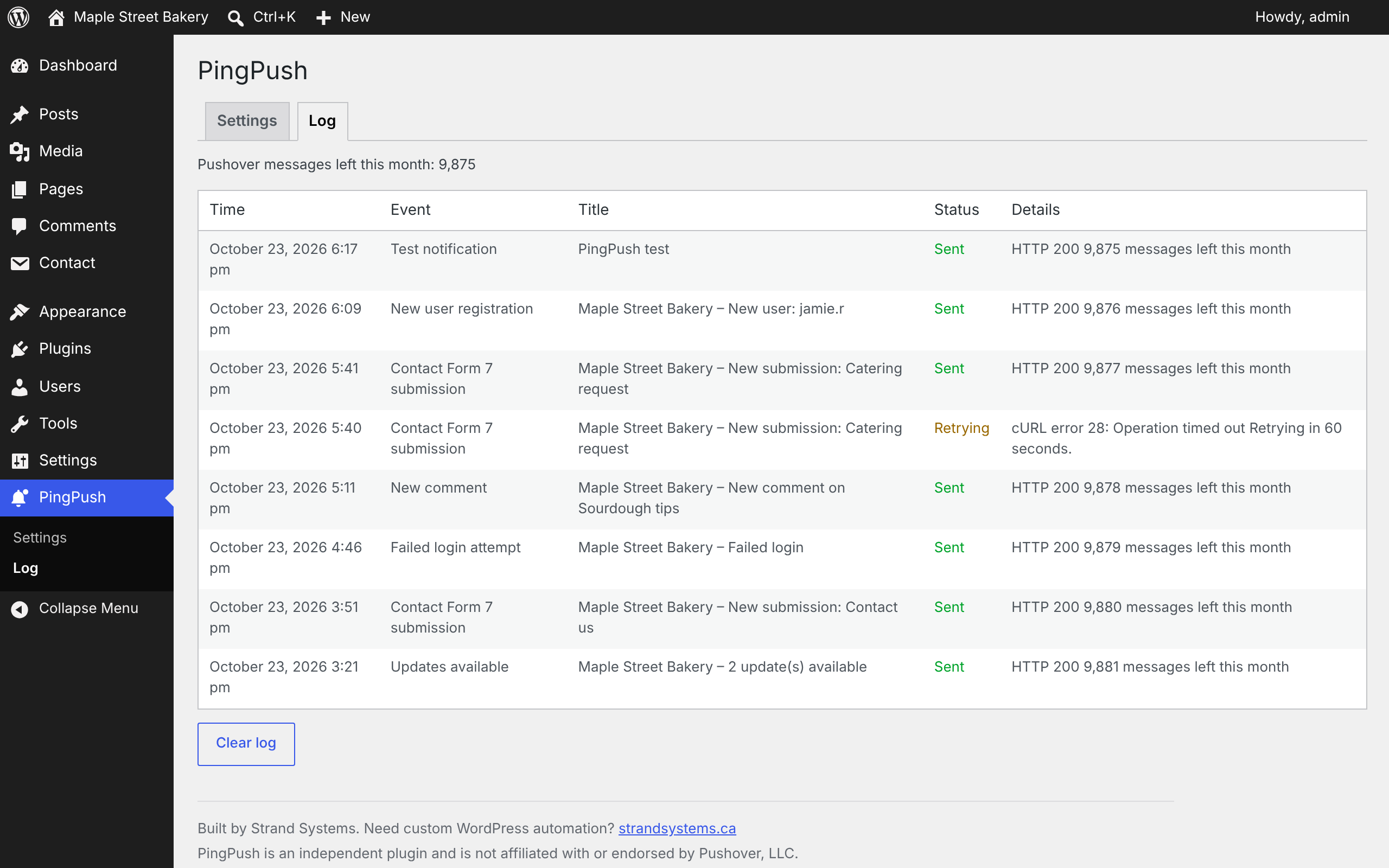
Open PingPush > Log. It shows each attempt and the exact error from Pushover. Also make sure "Validate keys" succeeds and that WP-Cron runs on your site.
Will I get flooded with alerts?
No. Spam comments are skipped, failed logins are throttled per IP address, each order and each update is reported once, and update alerts default to low priority.
Does it slow down my site?
No. Alerts are queued and sent in the background, so visitors never wait for Pushover.
Does it work on membership or login-only sites?
Yes. PingPush runs in the background and in the admin, and does not depend on the public site.
Is PingPush made by Pushover?
No. PingPush is an independent plugin by Strand Systems and is not affiliated with or endorsed by Pushover, LLC.
Changelog
1.0.0
- First release.
Let's talk about your business.
Tell us what's slowing you down. In a free 30-minute call we'll show you what can be improved, with no obligation.